


Video & Music Downloader HD
4.2182.00 Reviews
App Specs
- Version
- 1.3.7
- Updated On
- License
- Free
- Downloads
- 10,000,000+
- Developer
- Fast Tour Booking - Flights & Hotels
- Categories
- Video Players & Editors
- Platform
- Android, iOS
Screenshots
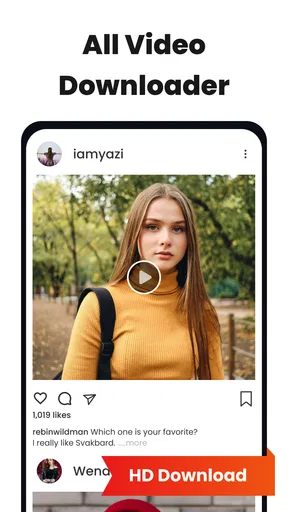
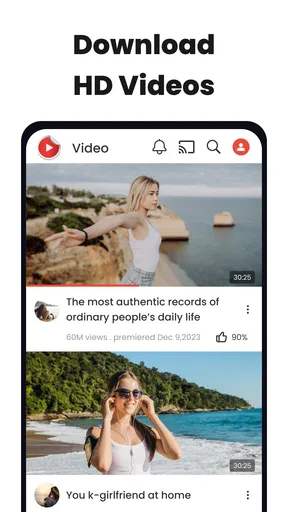

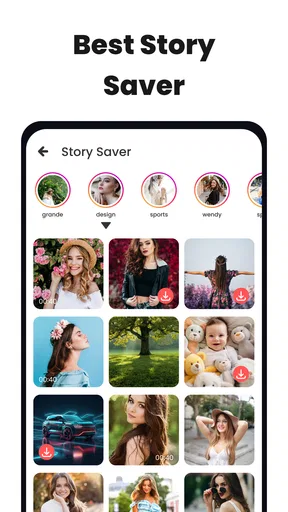
 Analysis by AppCompare
When I want to keep a clip for a flight, a commute, or a moment when I may not have a reliable connection, the useful question is not simply whether a downloader can save a file. I want to know how much work it takes to get from finding something online to having a usable copy on my device, and where that process might get stuck. Video & Music Downloader HD is aimed at that practical job: it is a free media-downloading app from Fast Tour Booking - Flights & Hotels, in the video player and editor category. Its appeal is the possibility of handling discovery and saving in one place, though the sites and content you use can affect how smooth that experience feels.
Start with the source, not the download button
A sensible first step is deciding what you want to save and whether you have the right to keep a copy. A public clip you made yourself, or material whose creator permits downloading, is a much clearer use case than a stream that a service intentionally keeps inside its own app. Download tools do not override a creator’s rights or a platform’s terms, so I would treat that distinction as part of the workflow rather than an afterthought.
For a realistic everyday example, imagine finding a short how-to video while browsing at home and wanting to refer to it later in a place with patchy reception. The built-in browser can reduce the handoff between finding the page and trying to save its media. That is convenient when the page is compatible; it does not mean every embedded player will expose a downloadable file.
Move from browsing to a saved file
The basic idea is straightforward: open a source in the app’s browser, locate the media, and use the download control when it is available. Afterward, check the result in the app’s download area or library before closing the page. That quick check matters because a page can look as if it contains one video while actually presenting several clips, previews, or other media elements.
I would also keep the task small at first. Try one permitted clip, confirm that it opens as expected, and only then queue more. The app is described as supporting batch downloads, which can save repetitive effort, but a long queue is less helpful if the first item is from an incompatible source or the wrong file. Testing one item first makes it easier to catch a mismatch before you have several similar downloads to sort through.
Make the handoff useful
Saving is only half the job; the next question is how you will use the file. If you want to watch it later, open the saved item while you still have time to confirm that it plays. If your aim is to listen to audio, check that the result is actually an audio file and that its sound is acceptable. The store’s brief “Video & Music HD” wording is not a guarantee that every source will provide a high-definition video or a separate music track.
File names and organization can also make a difference once you have more than a few items. I would give downloads recognizable names where the app or device allows it, and remove a failed or duplicate item soon after noticing it. This is a modest habit, but it prevents a useful offline collection from turning into a folder of near-identical files whose contents are hard to identify.
Worth Reading Before You Choose

Baby Panda World Brings Quick Play to Modern Phones, but Its Game Library Feels Busy

ESPN’s Live Game View Makes Following Close Games Easier

QuizzLand Review: A Good Fit for Short Trivia Breaks, Not Every Player

Basketball Stars: Multiplayer Is Fast, but Can It Recover When Matches Go Wrong?

WEBTOON Turns Phone Updates Into a Better Reading Routine

Link to Windows Runs on Shared Habits, Not Social Feeds
Getting Started with Video & Music Downloader HD
First things first, downloading and setting up Video & Music Downloader HD is a walk in the park. Head over to the Google Play Store or the Apple App Store, search for the app, and get it installed in a jiffy. Once you fire it up, you’re greeted with a clean and intuitive interface. It’s like the app is saying, “Hey, I’m here to make your life easier."
One of the standout features is the built-in browser. You don’t need to juggle between apps or copy-pasting URLs. Just navigate to your favorite site within the app, find your video or music, and hit download. Voila! It’s saved to your device. The process is smooth and straightforward, perfect for us folks who aren't exactly tech-savvy.
Features That Make It Shine
Now, let’s talk features. The app supports a wide range of formats, so whether it’s MP4, MP3, or even some less common file types, you’re covered. This flexibility ensures you can enjoy your content just the way you like it. The download speeds are impressive too. I mean, who wants to wait forever for a file to download? Not me!
Another cool feature is the batch download option. You can queue up multiple files and let the app do its thing. This is a real time-saver, especially when you find yourself in a downloading spree. Plus, the app maintains the quality of your downloads, ensuring that you’re not sacrificing resolution or audio quality. High definition, as promised.
User Experience and Interface
The design of the app is sleek and modern. Navigation is intuitive, with options neatly organized so you can find what you need without hassle. There’s something satisfying about an app that doesn’t require a manual to operate. You’ve got a search bar at the top, recent downloads, and easy access to your library. It’s like having your media center in your pocket.
One thing I noticed is that the app doesn’t bombard you with ads, which is a rarity these days. It lets you get on with your downloading business without interruptions. The developers really got it right on this front.
Security and Privacy
Security is a big deal, and Video & Music Downloader HD takes it seriously. The app doesn’t require unnecessary permissions, which is a breath of fresh air. You can download your favorite content without worrying about your data being at risk. It’s always reassuring when an app respects your privacy.
Moreover, the app provides regular updates to address any bugs or security issues, keeping everything running smoothly and securely. It's nice to see developers who are on top of things.
Where the workflow can snag
The main limitation is that a built-in browser cannot make every site behave the same way. Some pages may not offer a file the app can recognize, and protected or restricted streams may not be available to save. That is why I would not choose this as a universal solution for every video service. When a platform provides its own offline viewing feature, that official option is usually the better route for its protected catalogue.
There is a practical trade-off with batch downloading, too. It is most useful for a set of known, compatible files, not for blindly collecting everything on a page. If one item fails or turns out to be an unwanted preview, a large queue can create extra cleanup. A more reliable routine is to confirm the first download, then add the rest and check the finished files before relying on them away from home.
On Android, the current version is 1.3.6 and the minimum operating system is Android 6.0. The app is rated for Everyone, has more than 10 million installs, and holds an average rating of 4.2 from around 421,000 ratings. It is free to install, with in-app purchases listed at $14.99 per item. I would treat that as a reason to review the purchase details in the app before committing, rather than assuming every part of the experience is included at no cost.
Who will get the most from it?
I can see this being useful for someone who regularly saves permitted clips from compatible pages and prefers not to shuttle between a browser, a separate downloader, and a file manager for every task. The built-in browsing approach is especially convenient for occasional downloads: find a clip, save it, and check it without changing apps repeatedly. It may also suit people who want to assemble a small group of files for a trip, provided they test the sources and downloads before leaving.
It is less suitable if your main goal is offline access to subscription video libraries, if you expect every social-media post to be downloadable, or if you need detailed editing tools after saving. A streaming service’s own offline mode is a better fit for protected shows and films. For trimming, captions, or a polished export, a dedicated video editor is the more appropriate tool; a downloader’s job is to acquire a file, not replace a full editing workflow.
How I would use it on an ordinary day
Suppose I find a creator-approved tutorial in the morning and want it available during an afternoon journey. I would open the page inside the app, save one clip, and play it from the library while still connected. If the playback and quality are right, I could add other clips from the same source to the queue. Before heading out, I would check that each item is present and remove any duplicate or incomplete result. That small sequence answers the most important practical question: not just whether a download started, but whether the file is ready when I need it.
If I am collecting music rather than video, I would be more cautious about the source and the output. A video page may not provide a separate audio file, and a format option does not mean that every source offers every format. Checking the saved result before deleting the original link or relying on it offline avoids an unpleasant surprise later.
Is It Worth the Download?
So, is Video & Music Downloader HD worth downloading? In my opinion, absolutely. It’s user-friendly, efficient, and reliable. Whether you’re a casual downloader or a media enthusiast, this app caters to your needs without breaking a sweat.
Of course, like any app, it’s not without its quirks. Occasionally, some sites might not be fully compatible, but these instances are few and far between. Overall, it’s a solid performer in the world of media downloaders.
In a world where media consumption is at an all-time high, having a trusty app like Video & Music Downloader HD in your arsenal is a game-changer. So go ahead, give it a whirl, and let the downloads commence!
My recommendation after weighing the trade-offs
My recommendation is to try it when your need is specific: save a compatible, permitted clip, keep a few useful files together, and avoid depending on a downloader for content that a service protects. Start with a single file and check the playback, then decide whether the browser and queue fit the way you collect media. That approach is more useful than assuming a broad format claim will make every site work identically.
The app was released on May 29, 2024, and its free entry point makes it easy to evaluate for occasional use. I would still pay attention to any purchase prompt and to the source of each file, especially if I were downloading more than a short list. For straightforward saving from compatible pages, it can reduce the small hassles of switching tools; for locked streaming libraries or serious editing, I would choose a service or app built specifically for that job.
Pros
- Supports multiple formats for downloads.
- High-quality video and audio output.
- User-friendly interface for easy navigation.
- Fast download speeds for large files.
- No intrusive ads during downloads.
Cons
- Limited features in the free version.
- Some downloads may fail unexpectedly.
- Requires significant storage space.
- Occasional app crashes reported by users.
- No built-in media player for previewing.
FAQs for Video & Music Downloader HD
What features does Video & Music Downloader HD offer?
Video & Music Downloader HD provides a seamless experience for downloading high-definition videos and music from various platforms. Users can enjoy features like batch downloading, format conversion, and a built-in media player. Additionally, it supports multiple resolutions and formats, ensuring compatibility with various devices and user preferences.
Is Video & Music Downloader HD safe to use?
Yes, Video & Music Downloader HD is designed with user safety in mind. It employs secure protocols to ensure safe downloads without compromising your device's security. However, it's always recommended to download the app from official sources like the Google Play Store or Apple App Store to avoid counterfeit versions.
Does Video & Music Downloader HD support all video and music platforms?
While Video & Music Downloader HD supports a wide range of popular platforms, it may not be compatible with every website or service. It typically works with mainstream platforms, but users should verify supported sites through the app’s documentation or support page to ensure their desired content can be downloaded.
Are there any subscription fees for using Video & Music Downloader HD?
Video & Music Downloader HD offers both free and premium versions. The free version includes basic features, while the premium version provides advanced capabilities like ad-free experience, faster downloads, and additional format options. Users can choose according to their needs and budget, with clear details available in the app’s pricing section.
Can Video & Music Downloader HD convert files to different formats?
Yes, one of the standout features of Video & Music Downloader HD is its ability to convert downloaded files into various formats. This functionality allows users to tailor their media for different devices and preferences, ensuring flexibility and convenience. Supported formats typically include MP4, MP3, AVI, and more, catering to a wide range of needs.


